

For presenting, writing or annotating and any eDocument-workflow that requires pen input functionality or signing.
A new flagship product for business applications and education was introduced by Wacom today. The full-HD 24-inch screen offers ample room and a high-resolution display (1920 x 1080 pixels). According to the wide range of use environments, two models are now available: the pen only version (DTK-2451) and in addition the pen & touch version (DTH-2452).
Efficient Digital Workflow
Both units contribute to the efficiency of state-of-the-art digital workflows in business and public administration. The larger screen supports the direct interaction with customers and clients at counters or in consulting scenarios. Integrated into a document management system, the new Wacom displays offer a wider space for writing, annotating and signing of documents. Plus, in the pen & touch version, it supports a more intuitive handling of documents on the screen while the specific Wacom pen technology adds accuracy, ease of use and a paper like feel when writing pen on screen. The user-customizable ExpressKeys do the same: They offer short-keys to the most often used commands in the various software applications.

Presenting and teaching in the 21st century
Visual communication is key in customer meetings, as well as in the education sector. For the full effect of visual communication, it needs to be flexible, interactive and ready to be altered as part of the meeting, lesson or speech. Wacom’s interactive displays offer exactly that. Adding text, notes or sketches to presentation slides or brainstorming templates make teaching more efficient and intriguing. Teachers can face their students and highlight their coursework in real-time to promote a more interactive learning environment.
Visualize diagnosis and therapy
Particularly in Japan the new Wacom displays are expected to be used in the medical sector. Healthcare professionals can use the screens for visual explanations in patient consultations or adding more detail in the diagnosis by adding notes or sketches to the digital patient records like x-ray pictures or dental charts. The ability to capture signatures on screen in addition offers an opportunity to sign prescriptions or obtain informed patient consent documentation. Plus, they are excellent tools for patient registration, as electronic forms can be filled out on screen, eliminating the need for paper.

Document management in public administration
Both models are supporting document management processes in business and public administration. Full-sized documents can be pulled-up for easy read and interactive use. Forms, agreements contracts can be signed without shrinking and scrolling, thus reducing the need for paper based documentation and archives. Encryption is included for eSignature capture based on the various biometric data the pen sensor is recording, thus ensuring high level security standards for forensic verification.
Attention to detail
The DTK-2451 and DTH-2452 use a specially treated hardened cover glass that resists scratching, reduces glare, and provides a paper-like feel for natural pen operation. The bezel size has been minimized to reduce the physical footprint as much as possible while still delivering a comfortable and ergonomic pen experience. A new pen holder attaches to either side of the unit to provide a convenient and secure place to store the pen when not in use. There is a Kensington security slot to prevent theft at the point of sale, and a pen tether to ensure against pen loss. DVI video connections are used to support both analog and digital systems, and video output is included to connect to external monitors and projectors. The physical footprint has been minimized and the body is sleek and stylish. The unit includes an adjustable stand that inclines from 11 to 73 degrees to accommodate the most comfortable working position. There are also standard VESA mounting holes for use with 3rd party arms and stands.
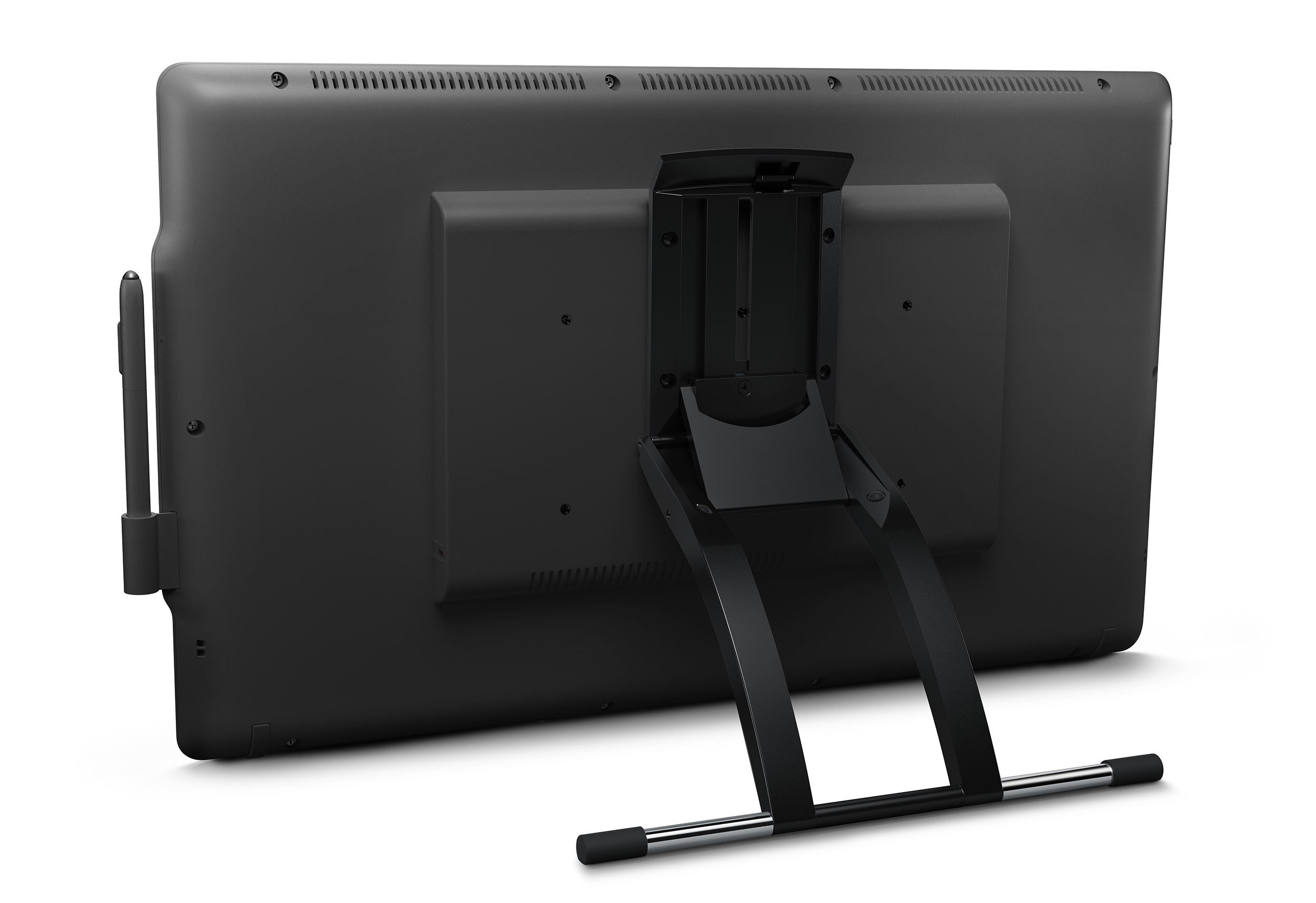
Specifications:
| OVERALL DIMENSIONS EXCLUDING STAND | 601 x 356 x 46 mm / 23.7 x 14.0 x 1.8 inches |
|---|---|
| SCREEN SIZE | 23.8” diagonal (527 x 296 mm / 20.7 x 11.7 inches) |
| NATIVE RESOLUTION | 1920 x 1080 pixels |
| MULTI-TOUCH | Yes (DTH-2452 only) |
| EXPRESSKEYS™ | 4 |
| ASPECT RATIO | 16:9 |
| STAND | 11 – 73° incline |
| BRIGHTNESS | 210 cd/m² (typical) |
| CONTRAST RATIO | 1000:1 (typical) |
| RESPONSE RATE | 16ms (typical) |
| VIEWING ANGLE | H: 178° (89°/89°), V: 178° (89°/89°) |
| COORDINATE RESOLUTION | 0.01 mm/point / 2540 lpi |
| REPORT RATE | 187 points per second (pen) 100 point per second (touch) |
| READING TECHNOLOGY | Electromagnetic Resonance (EMR) |
| PEN PRESSURE LEVELS | 2048 |
| ENCRYPTION | AES256/RSA2048 |
| UNIQUE HW ID | Yes |
| COMMUNICATION INTERFACE | USB 2.0 |
| USER USB PORTS | 1 |
| VIDEO INPUT | DVI-I |
| VIDEO OUTPUT | DVI-I |
| POWER SUPPLY | Input 100 to 240 VAC, 50/60Hz |
| SYSTEM REQUIREMENTS | Windows 10 Windows 8.1 Windows 8, Windows 7, Mac OS X (10.11 or later) |
| KENSINGTON SECURITY SLOT | Yes |
| CORDLESS, BATTERY-FREE INKING PEN | Yes |
| PEN TETHER | Yes |
| WEIGHT | 7.2 kg / 15.9 lbs (without stand) |
More info: http://signature.wacom.eu/en-ap/products/hardware/dtk-2451-dth-2452/
Source: PR Newswire