
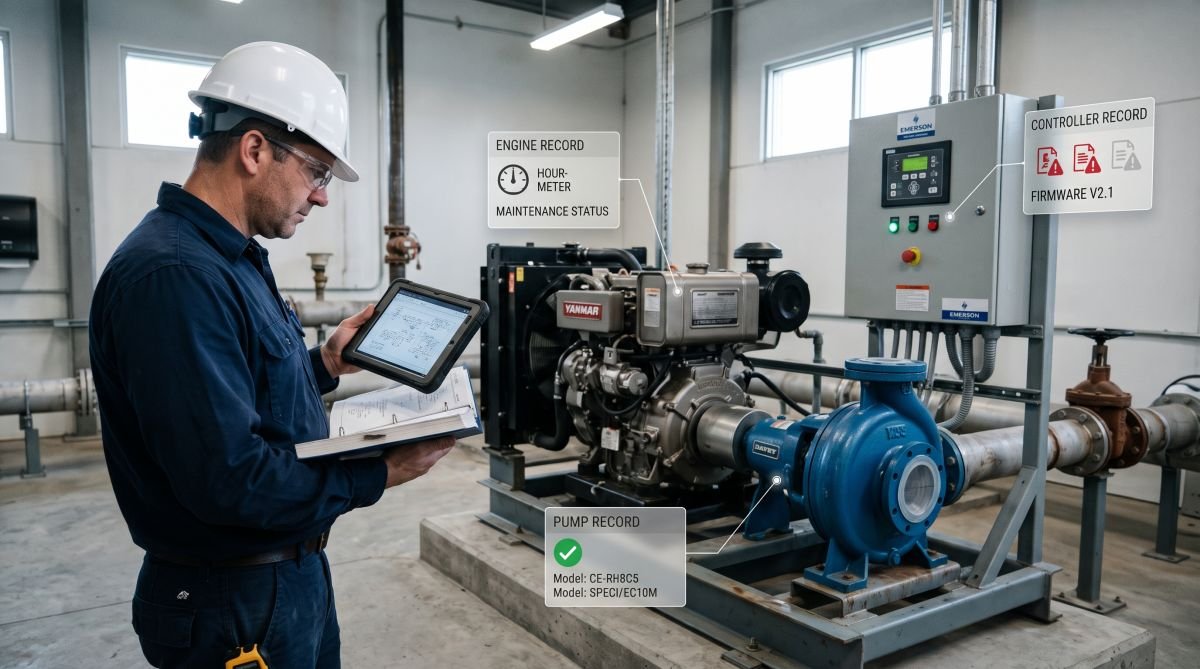
An engine-driven pump set stops overnight. The pump came from one manufacturer, the diesel from another and the control panel from a third, and the only manual in the site office covers a similar pump from a different year. Nothing is broken yet that a spare part cannot fix, but nobody can say which part, or which procedure applies.
Good pumps, engines and controls documentation prevents that morning. Below is a practical way to organize it for mixed equipment, with Davey, Yanmar and Emerson as examples.
Give every component its own record
A packaged pump set has three documentation trails: the pump, the engine or motor that drives it, and the controller. Treat each as a separate asset linked to the parent package. When the controller is replaced, the history of the pump and engine stays intact.
What each record should hold
Field | Why it matters |
Location and function | Finds the asset and its role in the system |
Manufacturer, model, serial number | Selects the correct manual and revision |
Installation date | Starts calendar-based service intervals |
Document title, number and revision | Shows which instructions were used |
Commissioning baseline | Gives a reference for future diagnosis |
Changes since installation | Explains differences from the manual’s diagrams |
Match the pump to its documents
Davey pumps carry a nameplate with the model, electrical data and performance details. Compare it with the applicability section of candidate documents in davey manuals before relying on a copy, and check that the file is complete. For pressure systems, the manual is also where you find how the tank pre-charge relates to the pressure switch setting, a detail that is easy to get wrong from memory.
Keep site records next to the manual
Name files with the document number and revision, mark the copy approved for current use, and keep superseded versions labeled. Then add what the manual cannot know:
commissioning readings such as suction and discharge pressure, flow, speed and control setpoints, recorded with the operating conditions;
installation sign-offs;
any moved pressure switch, rerouted pipe or changed setpoint.
A generic diagram will not tell the next technician about those changes.
Turn engine manuals into maintenance schedules
Start with the engine nameplate, not the model of the machine it drives. A Yanmar industrial diesel in a pump set has its own designation, such as a TNV-series model, and the maintenance schedule follows that engine. Use yanmar manuals to find the operation and maintenance document, then confirm the exact model and revision before copying tasks into the maintenance system.
Set two triggers where the manual gives two
Where a task is due after a number of operating hours or a calendar period, enter both and follow the “whichever comes first” rule. A standby engine can reach its calendar limit with very few hours. A heavily loaded one reaches its hour limit long before the date.
A hypothetical example: an inspection due every 250 hours or six months. Last done on January 1 at 1,000 hours, it is next due on July 1 or at 1,250 hours, whichever arrives first. These numbers are illustrative, not Yanmar requirements.
Make hour readings someone’s job
Assign an owner to enter hour-meter readings, from site rounds or an operating log, often enough to see a trigger approaching. Check once that a reading actually produces the expected work order.
A useful work order records:
the component, task, interval and manual section;
the meter reading and completion date;
findings, including abnormal ones with no repair made;
parts and consumables used, and the next due point.
A trend in leakage or filter condition says far more than a history of “completed.”
Use control documentation before replacing parts
An alarm tells you what the controller detected, not which part failed. Before resetting it, where site procedures allow, record the exact code or text, the time, the operating state and any recent changes to wiring or settings.
Match the controller exactly
Emerson’s range covers many product lines, from process transmitters to equipment controllers, so the label decides which document applies. Use emerson manuals to find fault descriptions and wiring information for your controller model, hardware and, where relevant, firmware version. Then compare with the site’s as-built drawings: the manufacturer’s diagram shows the terminals, not every field connection made on site.
Narrow the fault in order
A sensor alarm can come from at least three places:
The sensor or its wiring.
An incorrect input configuration or alarm setting.
A real process condition.
The exact code and the diagnostic sequence in the manual tell you which to check first. A new sensor fixes only the first one.
Stay inside safe limits
Isolate electrical, mechanical and stored energy before opening equipment, and verify isolation. Energized testing needs qualified personnel, site authorization and suitable protective equipment. Escalate when the next step needs specialist tools or access.
Close the work order with measured results and evidence that normal operation returned, such as a post-repair reading and the conditions it was taken under.
Start with one asset
Choose one complete package, such as an engine-driven pump set. Record each component’s nameplate, attach the right documents and set the next service trigger. On the next work order, check that the technician could find the correct document and see which task was due. Fix the gaps, then use that record as the template for the rest of the site.




Leave a comment